
Find, check and refund your orders
Every sale from your store lands in Orders. Downloads are delivered and prints go to the lab without you doing anything; this page is where you check on them and help a buyer when something goes wrong.
Included on every plan. 4 steps. Last checked October 6, 2026.
Step 1 of 4
Find the order
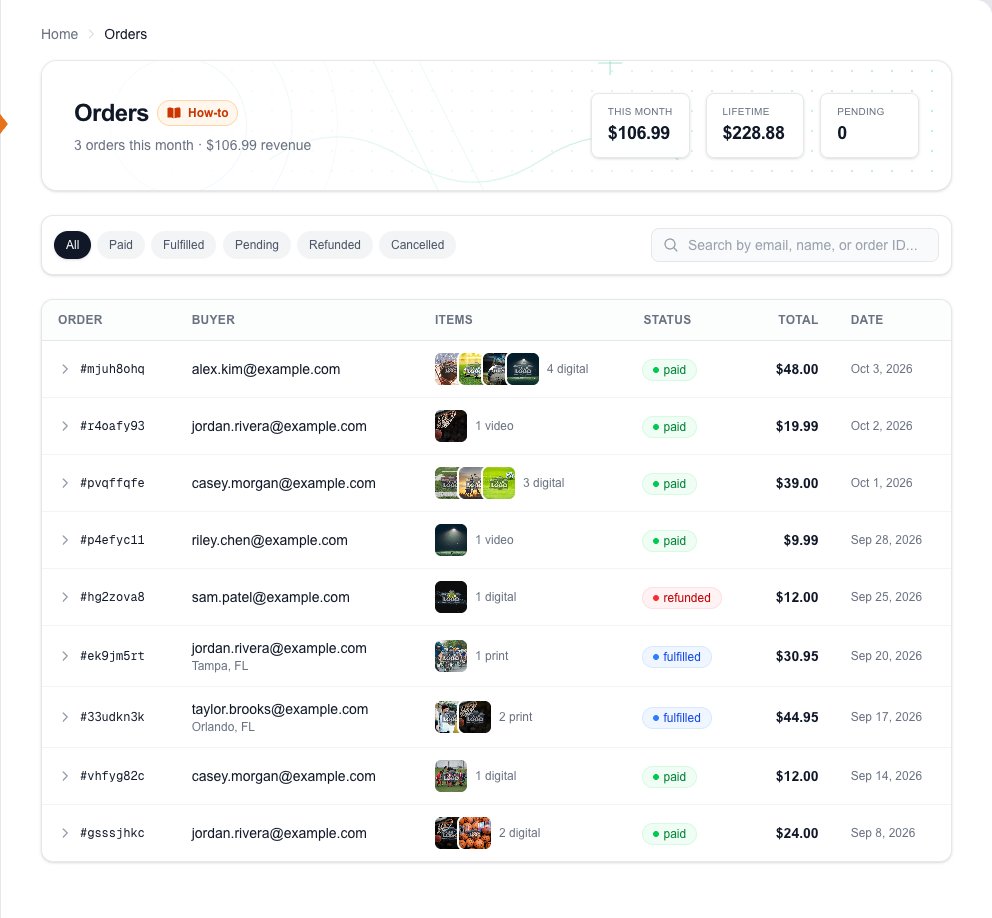
YouSales, then Orders. The newest order is at the top.
Your totalsPaid sales this month and since you opened, and how many checkouts were started but not paid (Pending).
Filter by statusPaid: money received. Fulfilled: prints shipped, or marked done by you. Refunded: money returned. Pending: the buyer never finished paying.
SearchType a buyer's email or name, or the order number from their receipt.
StatusDigital photos and videos are delivered the moment an order is paid, so paid is all they need.
Open an orderClick any row to see what was bought and what you can do with it.
Next: step 2
Step 2 of 4
Help a buyer get their downloads
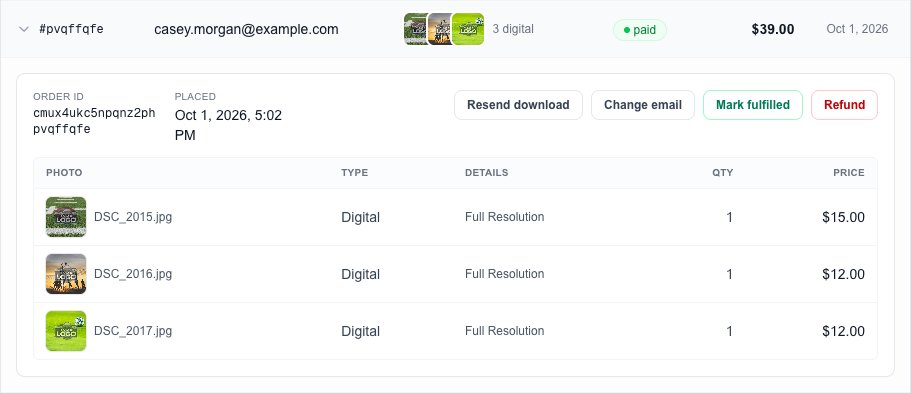
YouOpen the order. Buyers get their download links by email as soon as they pay, and the same links are on their order page.
Resend downloadEmails the buyer their order again with fresh download links. Use it when they can't find the first email.
Change emailFor a mistyped address: save the right one and the photos go to it straight away.
Mark fulfilledOnly for things you hand over yourself, such as prints you deliver in person. Downloads don't need it.
RefundGives the buyer their money back. See step 4.
What they boughtEach photo and the size they paid for: Full Resolution, Print Quality or Web Quality.
Video orders A video line shows its poster and title, and whether the buyer can watch it online, rent it or download it. Their private watch link is in their order email.
Next: step 3
Step 3 of 4
Follow prints to the buyer's door
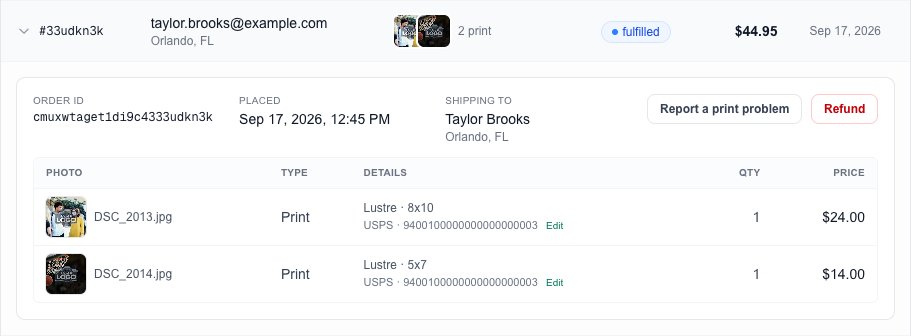
YouPrints are sent to the lab automatically when the order is paid. The order turns Fulfilled when the lab ships them.
Shipping toThe name and town the lab ships to.
Report a print problemAfter a print has shipped: it arrived damaged, never arrived, or was printed badly. You choose a reprint or a refund, and lab problems are claimed from the lab.
TrackingThe carrier and tracking number appear here once the lab ships. The buyer gets them by email too. Edit lets you correct them.
- PaidSent to the lab and being printed.
- FulfilledShipped, with tracking.
- Retry ProdigiAppears if the lab couldn't take a print. Press it to send it again.
Next: step 4
Step 4 of 4
Refund an order
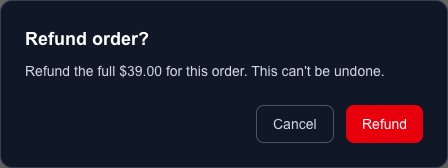
YouOpen the order and press Refund. You confirm before anything happens.
The refund comes back out of what you were paid for that order. The payment processing fee isn't returned by the card networks, so it is taken from your next sales.
The print is cancelled at the lab when it still can be, and the buyer gets everything back.
You're asked whether the buyer has the print and what went wrong. If they changed their mind, your store's setting decides who covers the lab cost; damage, loss and printing faults are the lab's problem.
Good to know
- A buyer says they never got their email.
- Check the address on the order. If it's wrong, use Change email; if it's right, use Resend download and ask them to look in spam or promotions. Their order page also has the downloads.
- What is a Pending order?
- A checkout that was started but never paid. Nothing was charged and nothing needs doing.
- Can I replace a print instead of refunding?
- Yes. Report a print problem offers a reprint for damaged, lost or badly printed prints, and the lab reships it.
- Where do I see what I was paid?
- Money, then Payouts shows when money reaches your bank. On Business and Enterprise, Money, then Transactions lists each sale's fees and what you keep, ready to export.