
Connect ChatGPT or Claude to your store
Connect ChatGPT or Claude to PixVend and it can read and change your store the same way you do in the dashboard: page sections and theme settings as drafts you preview first, and gallery settings like prices, downloads, access and deadlines, previewed before anything changes. Use the connector for this, never a browser agent clicking through your admin.
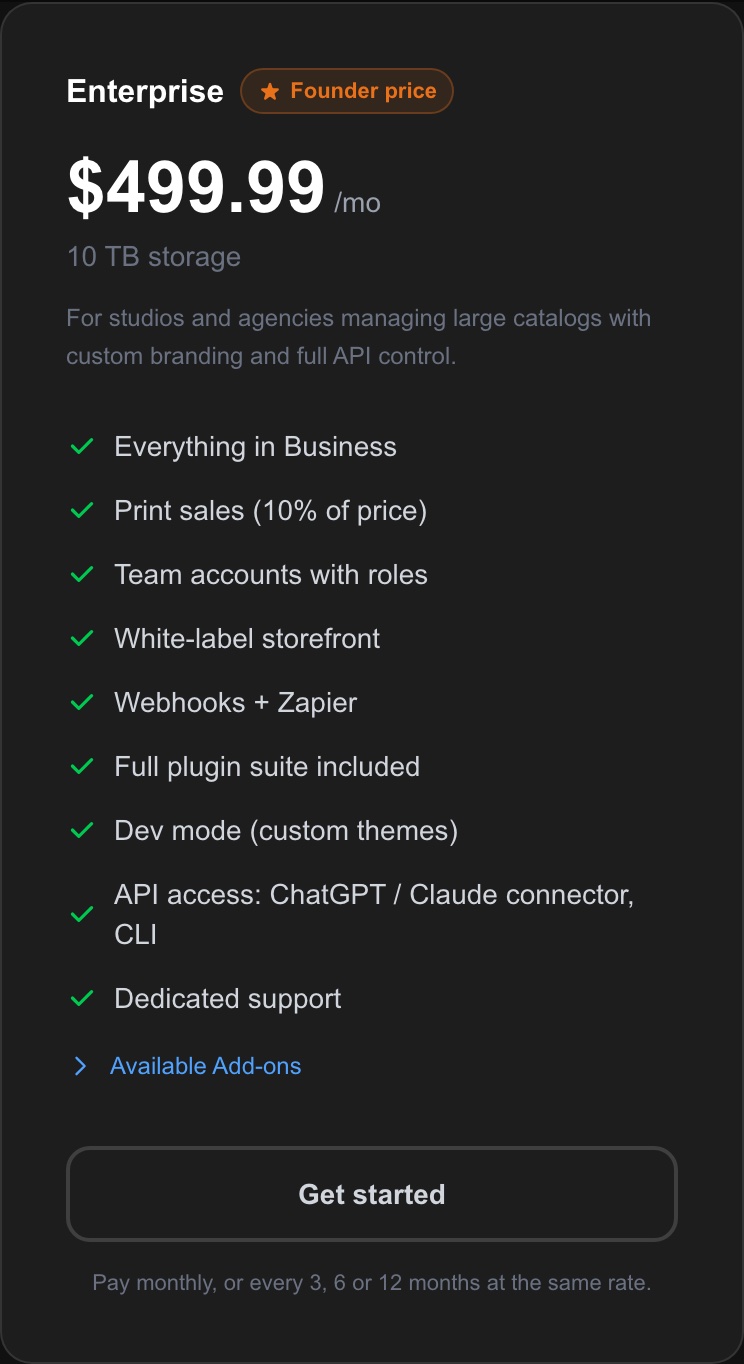
Enterprise. 3 steps. Last checked October 14, 2026.
Step 1 of 3
Check your plan
YouConnected apps, API keys and the PixVend CLI are part of the Enterprise plan.
If you change plans Moving off Enterprise pauses your keys and connections: they stay on file and start working again when you come back to Enterprise. Nothing is deleted.
Next: step 2
Step 2 of 3
Add PixVend to ChatGPT or Claude
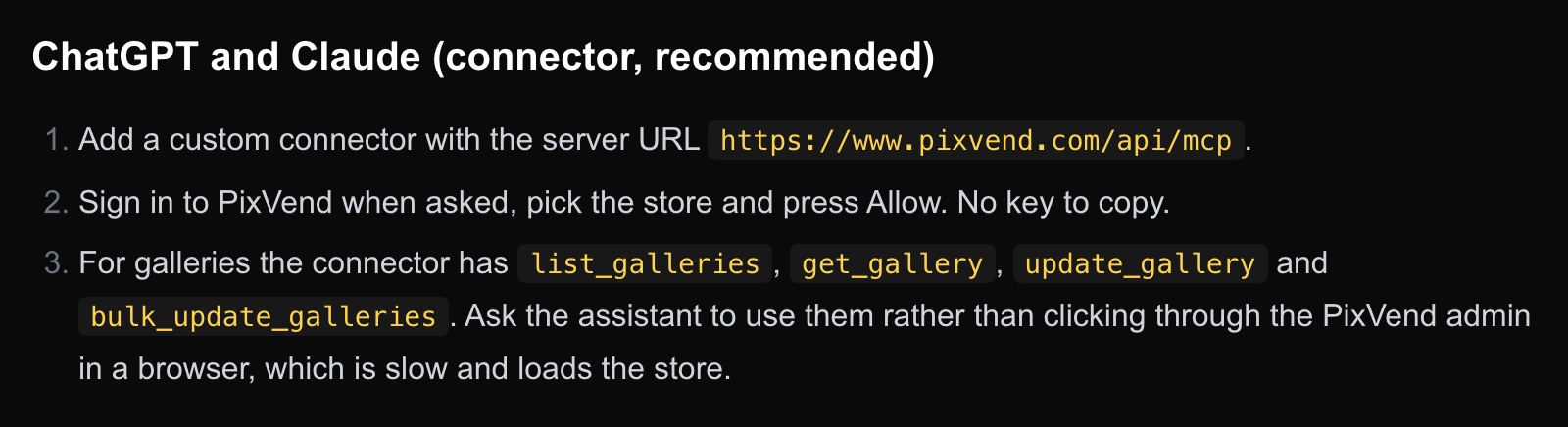
YouThere's no key to copy: you sign in to PixVend once and pick your store.
Open Settings, Apps and Connectors, and add a custom connector with the server URL https://www.pixvend.com/api/mcp. ChatGPT sends you to PixVend: sign in, pick your store and press Allow.
Open Settings, Connectors, Add custom connector, and use the same URL, https://www.pixvend.com/api/mcp. Sign in to PixVend when asked, pick your store and press Allow.
Disconnect PixVend in ChatGPT or Claude and connect again, so the connection gets the new gallery permissions. You can see and remove connected apps on your API & Connections page.
Next: step 3
Step 3 of 3
Ask it to check or change your galleries
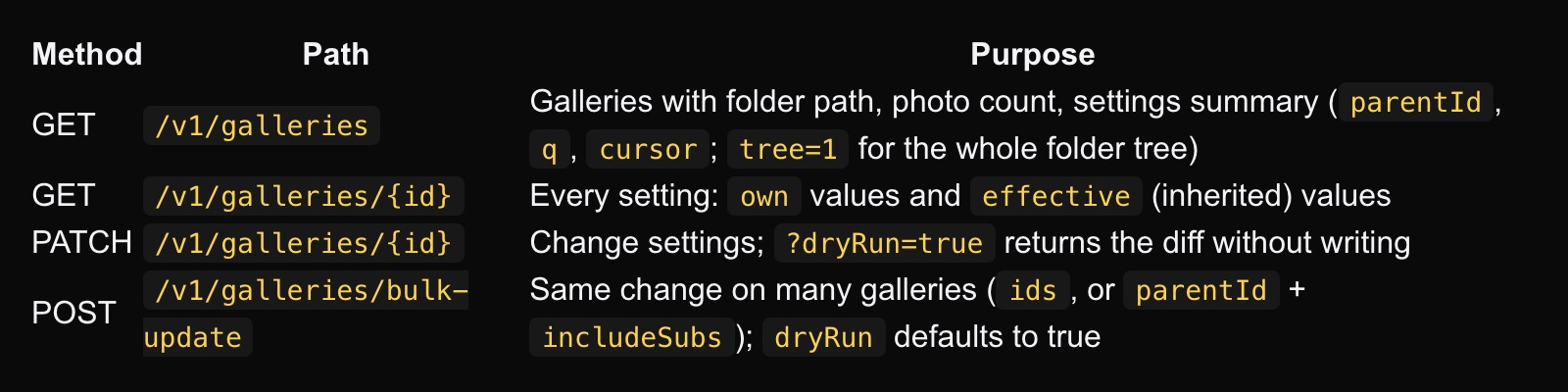
YouThe connector has gallery tools: list galleries, read every setting of a gallery (its own values and what it inherits from the folders above), change one gallery, or change many at once.
Things you can ask: "Check that every gallery in Spring Classic 2026 has the same price and download sizes." "Which galleries in Fall Tournaments still have no order deadline?" "Set the price to $10 for every gallery inside Winter Classic 2026."
Changes to many galleries are always shown to you first as a preview: which galleries would change and from what to what. Nothing changes until you tell it to go ahead.
Use the connector, not a browser agent Don't let ChatGPT or Claude open your PixVend admin in a browser and click through gallery pages. It's slow, it can misread pages, and opening many galleries at once can hold up your store. The connector reads the same settings directly, in a fraction of the time.
Pages and theme
The connector can also change your page sections and theme settings. Those changes are saved as drafts with a preview link, and only go live when you say publish. Every saved version can be restored.
Good to know
- Which plan do I need?
- Enterprise. On other plans the connector, API keys and the CLI are refused with a message pointing to the Enterprise plan.
- Can it change things without asking?
- Gallery changes across many galleries are previewed first by default, and page and theme changes are drafts until you publish. Tell it to always show you the preview.
- Who can connect?
- Anyone on your team. The connection acts as that person, with their team role: an editor can change galleries, only owners and admins can change the theme and pages.
- How do I disconnect?
- Remove it in ChatGPT or Claude, or press Disconnect next to it on your API & Connections page.
- Can I use an API key instead?
- Yes, for scripts, Claude Code, Cursor and the PixVend CLI. Create one on your API & Connections page and give it the scopes it needs, including Read galleries and Change gallery settings.