
Set up your watermark
Your watermark protects the photos people browse before they buy. PixVend stamps it on every photo as it's uploaded, and the files buyers download after paying are always clean.
Included on every plan. 3 steps. Last checked September 28, 2026.

Step 1 of 3
Choose your mark and where it goes
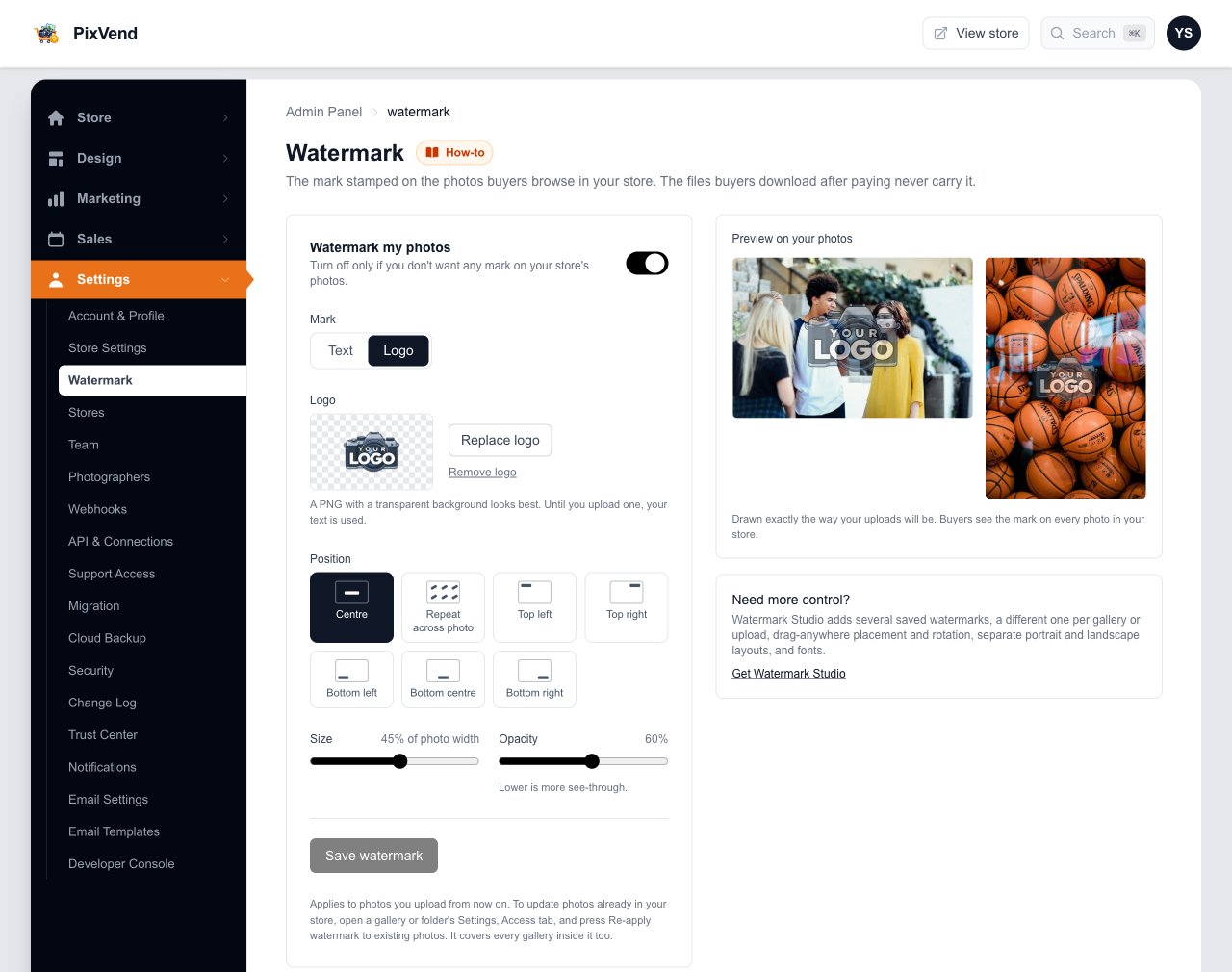
YouSettings, then Watermark. The preview on the right redraws as you change anything.
WatermarkUnder Settings in the left menu.
Watermark my photosOn by default. Turn it off only if you want no mark at all.
Text or LogoYour studio name in text, or your logo.
Your logoUpload a PNG with a transparent background for the cleanest result.
PositionCentre, a corner, the bottom, or repeated across the whole photo for the most protection.
Size and opacityHow wide the mark is, and how see-through. Lower opacity is lighter.
PreviewA landscape and a portrait photo drawn exactly as your uploads will be.
Press Save watermark It applies to every photo you upload from then on, including photos your team sends through your Upload Link.
Next: step 2
Step 2 of 3
Update photos you've already uploaded
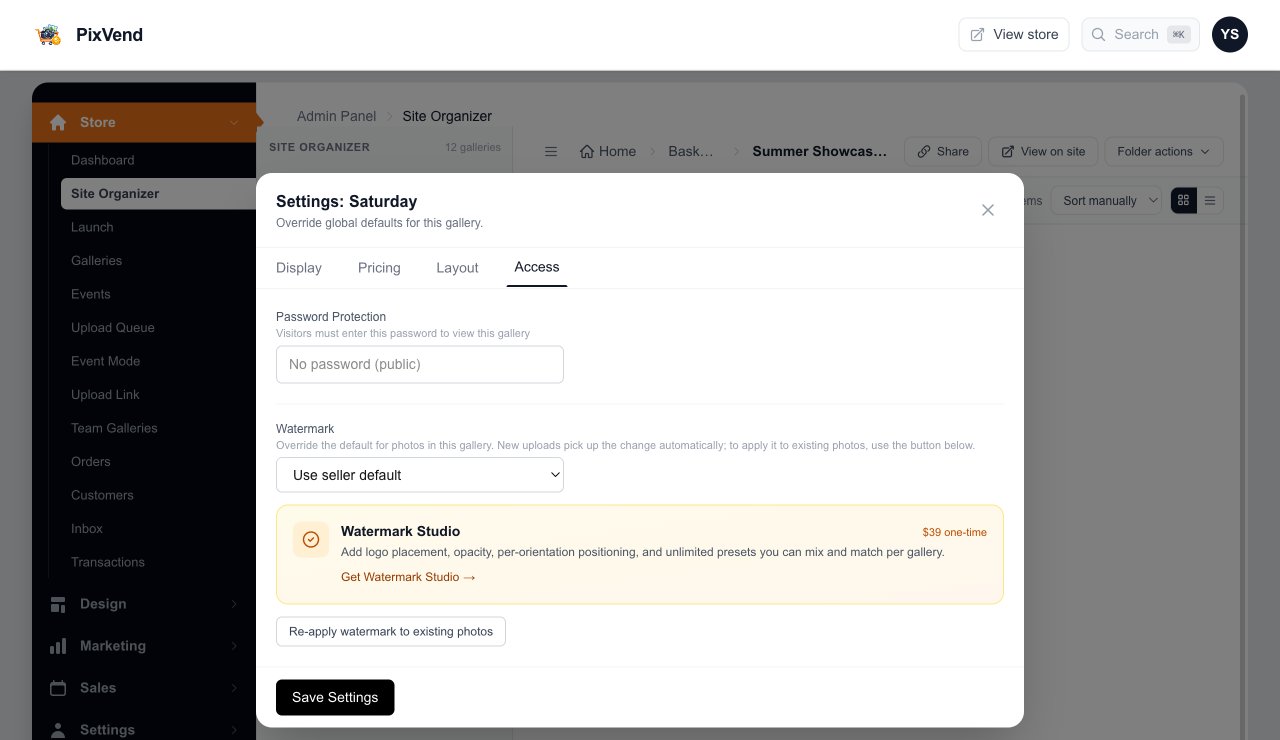
YouChanged your mark? Open a gallery or folder's settings (the gear on its tile in the Site Organizer) and pick the Access tab.
Watermark for this galleryUse seller default is the mark from step 1. Watermark Studio adds more choices here.
Re-apply watermark to existing photosRedraws every photo in this gallery and every gallery inside it. Big events take a while; keep working while it runs.
Next: step 3
Step 3 of 3
What buyers see
BuyersEvery photo in your store, in the grid and the viewer, carries your mark. The file they download after paying doesn't.
Good to know
- Does the watermark change my original files?
- No. Your originals are stored untouched. The watermark is drawn on the copies buyers browse.
- Can different galleries have different watermarks?
- Yes, with Watermark Studio: several saved watermarks, one per gallery or upload, drag-anywhere placement, rotation, and separate portrait and landscape layouts.
- My portrait photos look different from my landscape ones.
- The size is a share of the photo's width, so on a tall photo the mark is smaller. Watermark Studio lets you set portraits separately.