
Upload your photos, folders and all
Drag in a folder straight off your card. Its subfolders become galleries, every photo gets your watermark, and it can go live on your store as soon as it's ready.
Included on every plan. 5 steps. Last checked September 28, 2026.
 1You
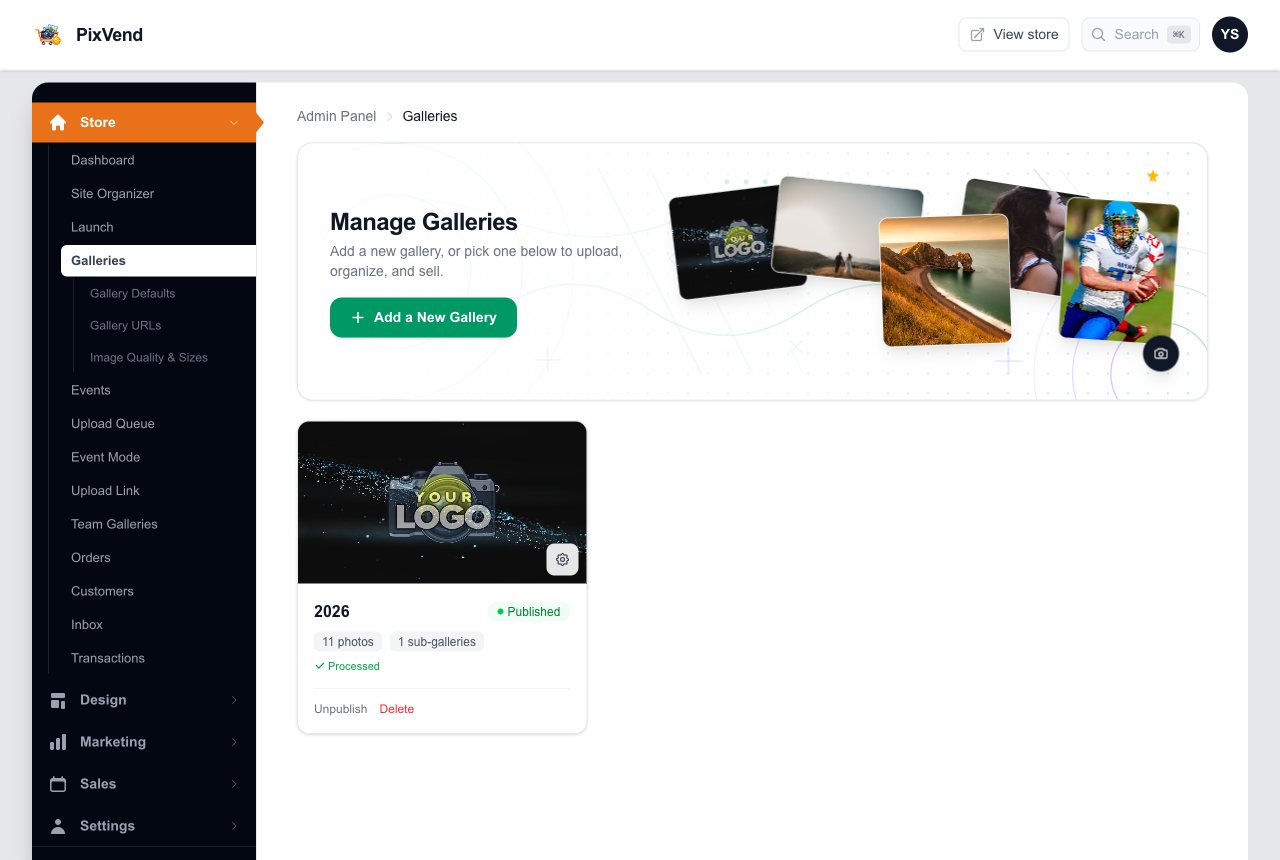
1YouAdd a new gallery
 2You
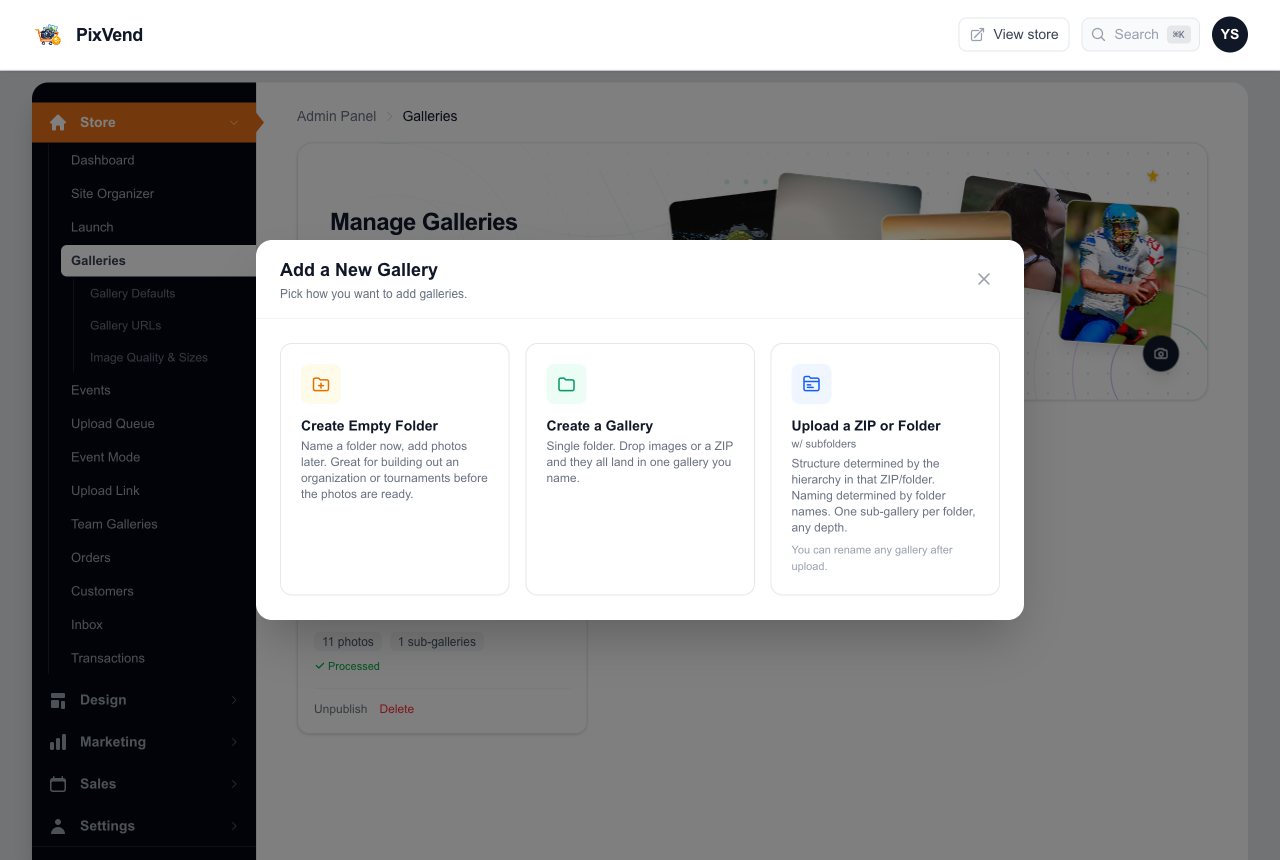
2YouPick how to add photos
 3You
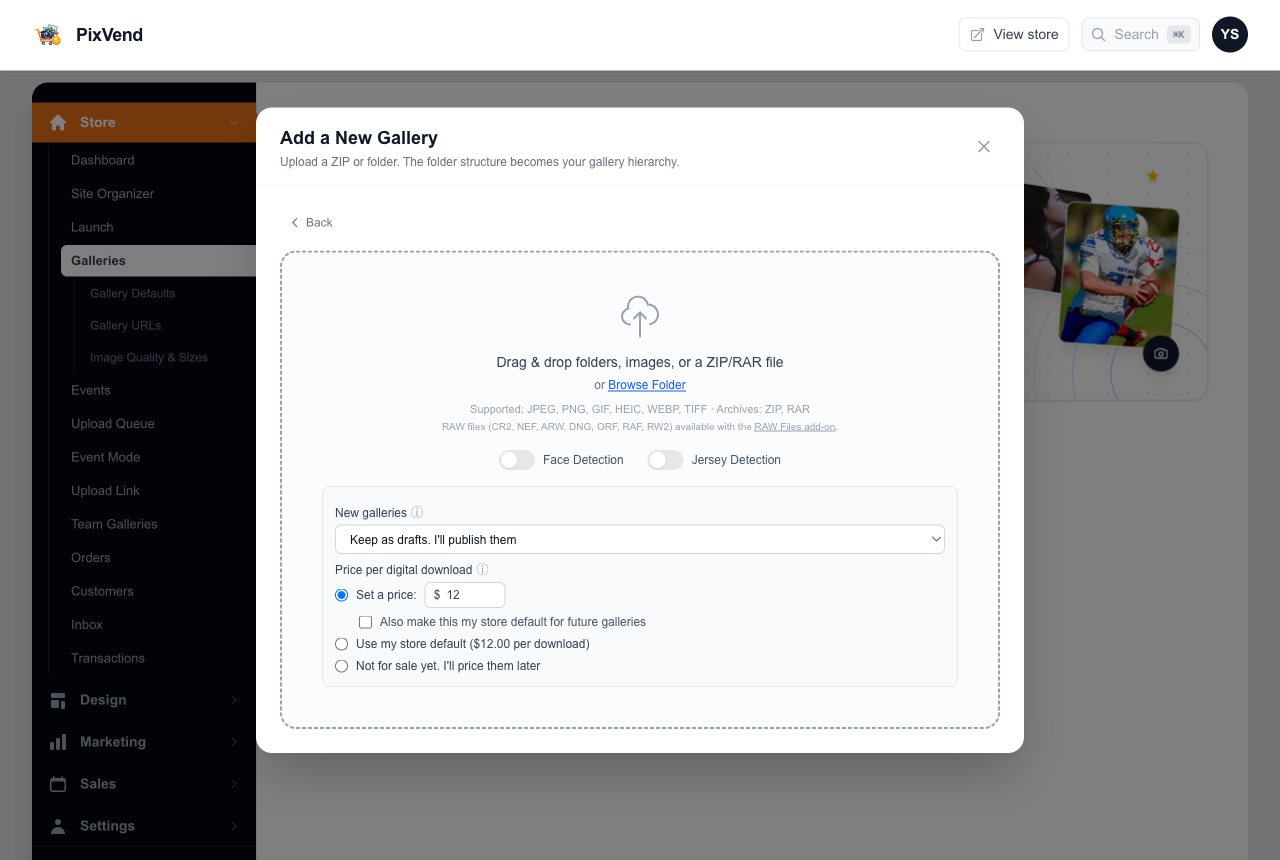
3YouDrop the folder, set the price
 4You
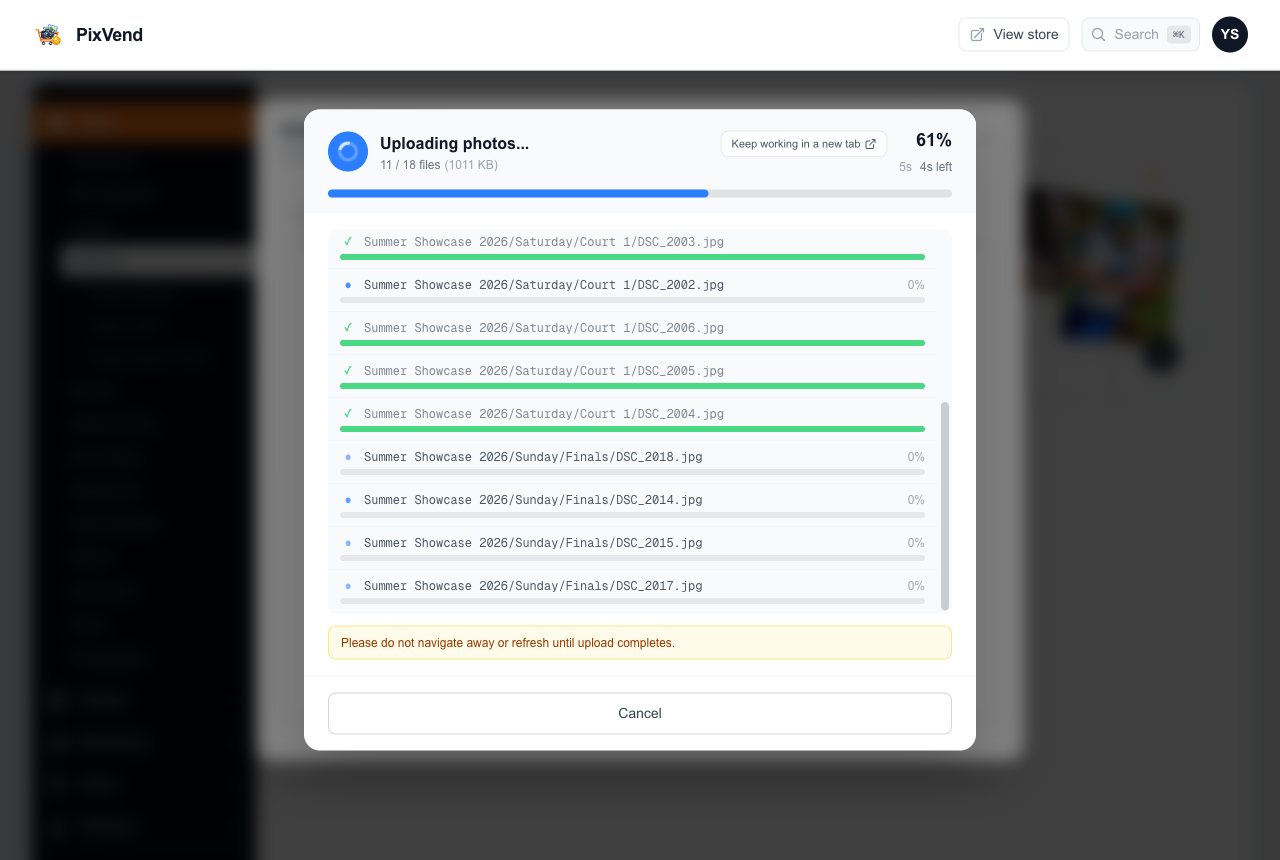
4YouWatch it upload
 5Buyers
It's on your store
Step 1 of 5
Open Galleries and add a new gallery
YouEverything you upload starts on the Galleries page of your dashboard.
Galleries in the menuUnder Store in the left menu.
Add a New GalleryOpens a window that asks how you want to add photos.
Next: step 2
Step 2 of 5
Pick how you want to add photos
YouThree ways in. For an event shot across days and courts, the folder upload does the most work for you.
Create Empty FolderName a folder now and fill it later, for example to set up a tournament before the photos exist.
Create a GalleryOne gallery you name. Everything you drop lands in it, even a ZIP with subfolders.
Upload a ZIP or FolderKeeps your folders: every subfolder becomes its own gallery, at any depth, named after the folder. You can rename any of them later.
Next: step 3
Step 3 of 5
Drop the folder and choose your options
YouSet these before you drop the folder. They apply to every gallery this upload creates.
Drop or browseDrag a folder, loose photos or a ZIP onto the box, or press Browse Folder. JPEG, PNG, HEIC, WEBP and TIFF all work.
Face and jersey detectionTurn these on to let buyers find their athlete by selfie or jersey number. They add a little processing time.
New galleriesPublish each gallery when all its photos are ready, as soon as the first one is, or keep them as drafts to publish yourself.
Price per digital downloadSet a price for these galleries, use your store default, or leave them not for sale for now. Tick the box to make it your default.
Next: step 4
Step 4 of 5
Watch it upload
YouPhotos go up several at a time and appear on your store as they finish processing, not all at the end.
ProgressHow many files are done and how long is left. Keep this tab open until it finishes.
Keep working in a new tabOpens your dashboard in another tab so you can carry on while the upload runs here.
If you sent the same photo twicePixVend spots identical files and shows them side by side. Click the one to keep; the oldest is kept by default.
Remove the duplicateOr press Keep All to leave both. Re-dropping a folder after an interrupted upload skips everything that already arrived.
Next: step 5
Step 5 of 5
It's on your store
BuyersThe event shows up on your Galleries page and on your store, with a folder for each day.
Checking on an upload later
YouUpload Queue, under Galleries in the menu, lists every upload with its progress, any photos that failed and a button to retry them.
Good to know
Event, day, time slot, court: every folder level becomes a gallery page.
Every photo gets your watermark automatically. Originals are never shown.
Drop the same folder again and only the missing photos upload.
CR2, NEF, ARW and DNG files work with the RAW Files add-on.
- Can I add photos to a gallery that already exists?
- Yes. Open the gallery and drop the photos onto it, or use the upload button inside it.
- My folder names aren't what I want buyers to see.
- Rename any gallery after the upload. Its web address follows the new name unless you set a custom one in Gallery URLs.
- Can I upload from my phone at the event?
- Yes, with Event Mode, a phone-sized upload screen under Galleries in the menu.
- Can my other photographers upload for me?
- Yes, send them your Upload Link. See the Upload Link guide.