
Set your photo prices
Set a price once for your whole store, then change it only where you need to. An event's price covers every day and court inside it, and any single gallery can go higher, lower or off sale.
Included on every plan. 5 steps. Last checked September 28, 2026.
 1You
1YouSet your store price
 2You
2YouPrice an event
 3You
3YouChange one gallery
 4You
4YouSell file sizes
 5Buyers
Buyers pick and pay
Step 1 of 5
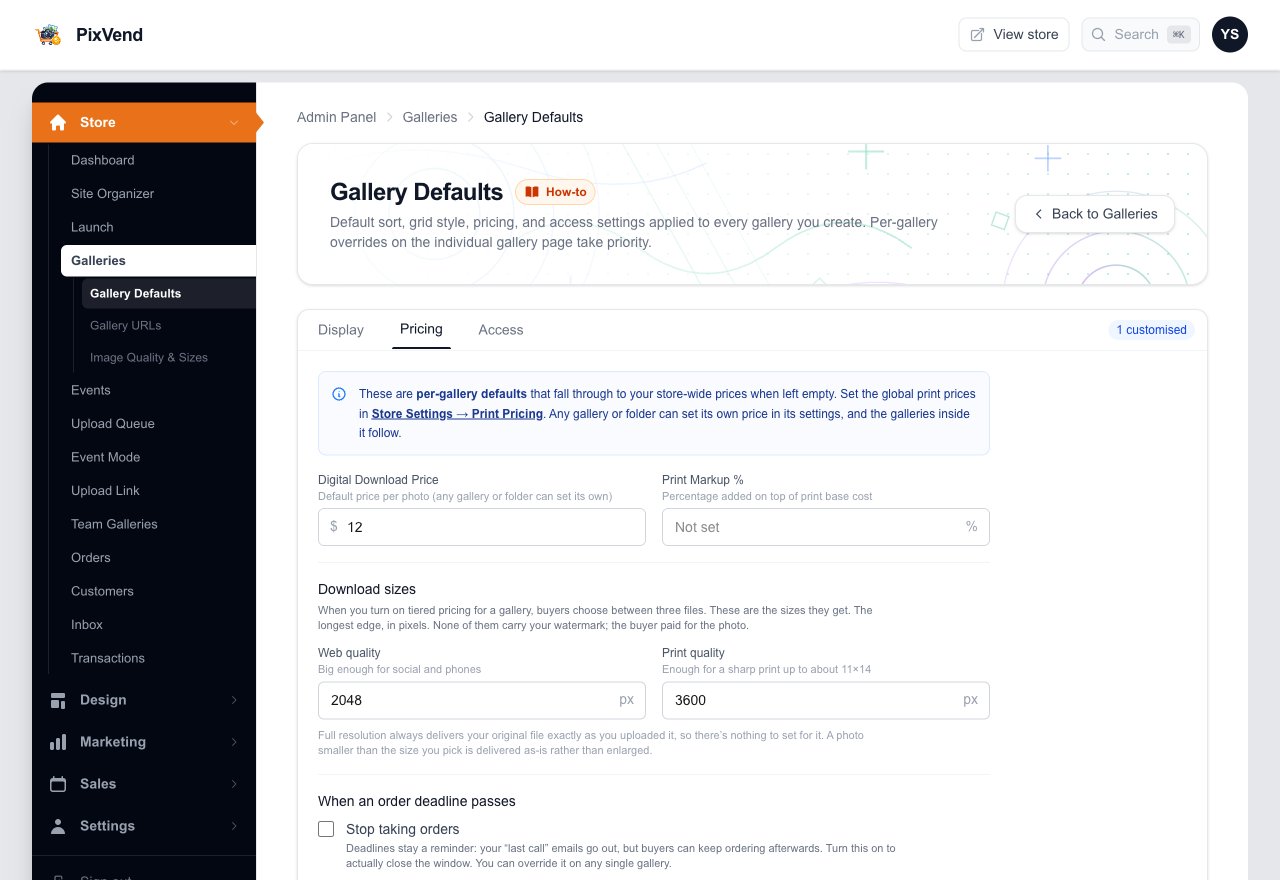
Set your store-wide price
YouGalleries, then Gallery Defaults, then the Pricing tab. Every photo sells at this price unless you set another one closer to it.
Gallery DefaultsUnder Galleries in the left menu.
PricingThe tab with your prices and download sizes.
Digital Download PriceThe price of one photo download. Leave it empty and photos are only for sale where a gallery sets a price.
Download sizesThe pixel sizes buyers get when a gallery sells Web and Print quality files (step 4).
Order deadlinesTick Stop taking orders to actually close a gallery when its deadline passes. Otherwise the deadline is a reminder.
Next: step 2
Step 2 of 5
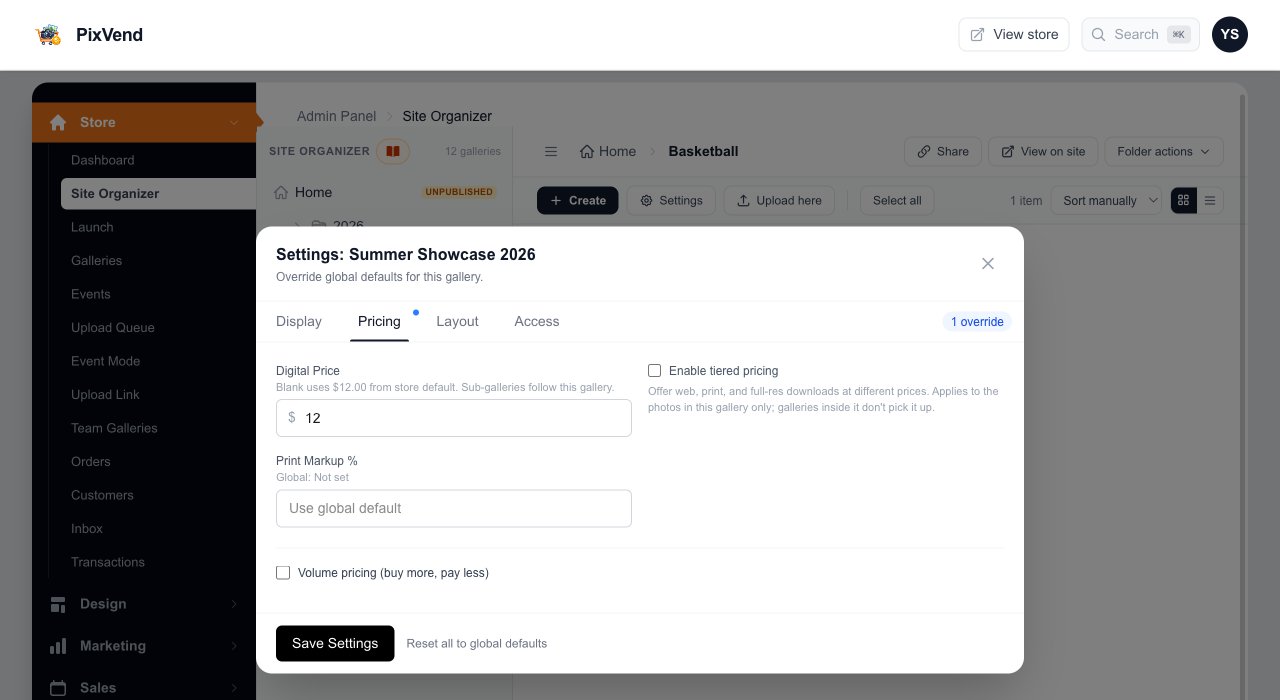
Price a whole event at once
YouOpen the event's settings (the gear on its tile in the Site Organizer) and pick the Pricing tab. Every day, time slot and court inside it follows this price.
Digital PriceThe price for every photo in this event. Leave it empty to use your store price.
What it falls back toThe grey line says which price applies when the box is empty, and where it comes from.
Save SettingsThe galleries inside pick it up straight away.
Next: step 3
Step 3 of 5
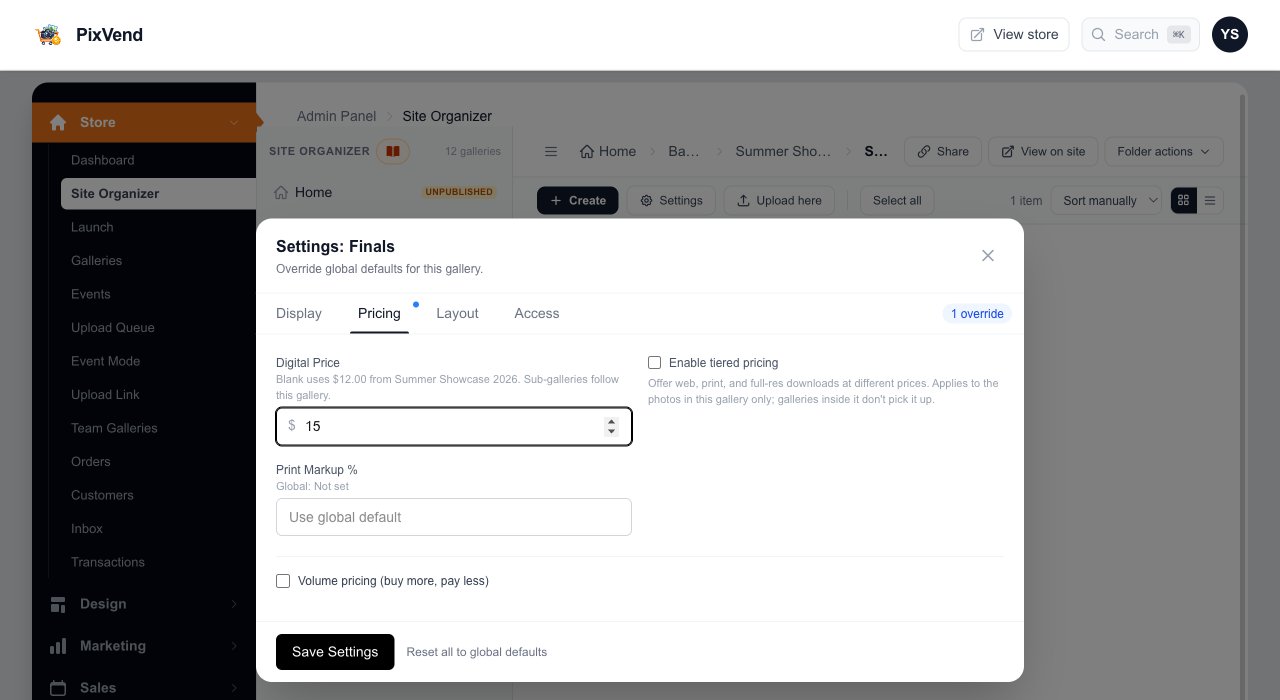
Give one gallery its own price
YouThe finals, a VIP session, a free sample: open that gallery's settings and type a different price. It beats the event's price for that gallery only.
A price just for this gallery$15 for the Finals while the rest of the event stays at $12. Type 0 to take a gallery off sale inside a priced event.
Save SettingsClear the box and save to go back to the event's price.
Next: step 4
Step 4 of 5
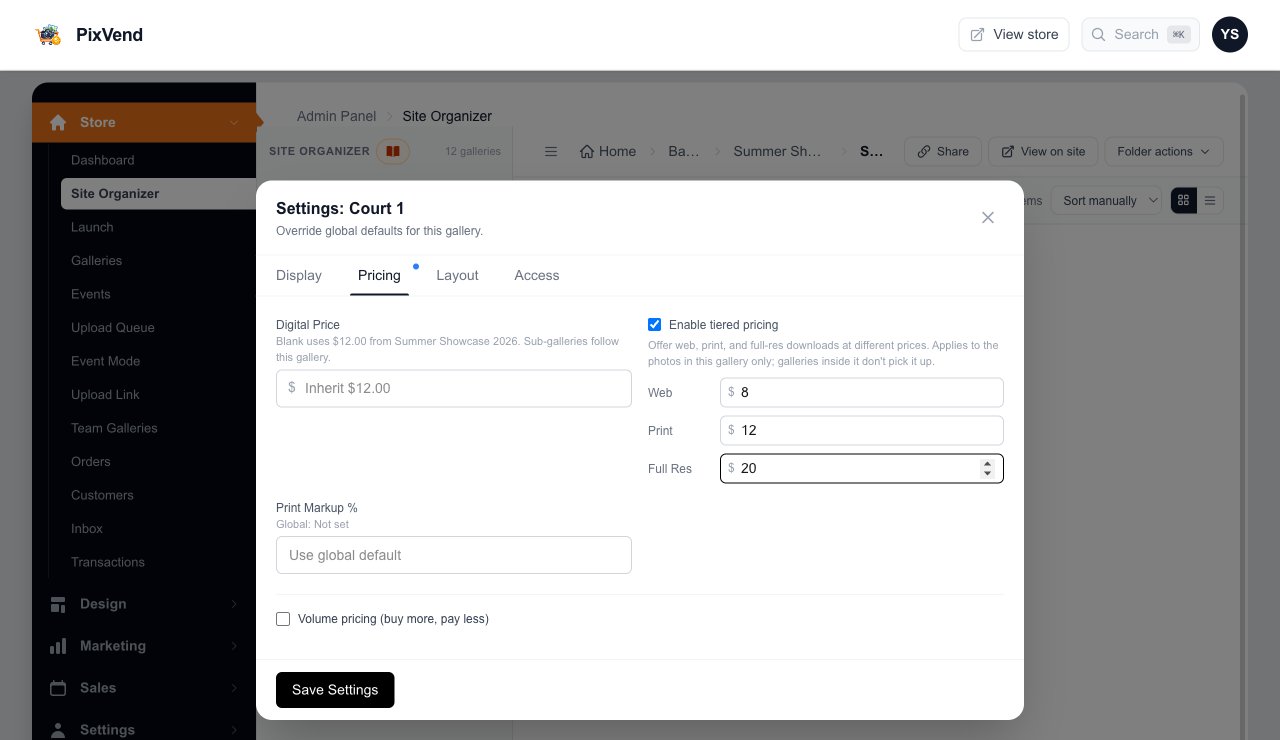
Sell web, print and full-size files at different prices
YouOptional. Tiered pricing lets buyers choose a smaller, cheaper file or pay more for your original. Turn it on in the gallery that holds the photos.
Enable tiered pricingWorks on the gallery whose photos buyers open, such as Court 1. A folder's tiers don't pass down to the galleries inside it.
Web, Print, Full ResA price for each size. Leave one empty and that size isn't offered.
Digital Price still appliesThe price shown on the gallery page still comes from here, or from the event when this box is empty.
Volume pricingBuy more, pay less: set a lower price per photo after a quantity. Also set on the gallery that holds the photos.
Next: step 5
Step 5 of 5
Buyers pick a size and pay
BuyersIn the photo viewer, the Digital tab lists the sizes you offer with their prices. Checkout charges exactly what's shown.
Each size and its priceWith the pixel size from your Gallery Defaults, so buyers know what they get.
Full ResolutionYour original file, exactly as uploaded.
Add to cartDelivered by email as soon as they pay, without your watermark.
Which price wins
PixVend uses the first price it finds, from the photo up:
The price on the gallery that holds the photo.
The nearest folder above it with a price: the day, then the event, and so on up.
Your Digital Download Price in Gallery Defaults.
No price anywhere means not for sale. Buyers can still view the photos.
Good to know
- How do I price a whole folder of events at once?
- Set the price on the folder, and every event inside follows it. To set a price across many galleries you've already priced, use Bulk settings for everything below in the folder's actions.
- How do I make a gallery free?
- A price of 0 takes it off sale. For free downloads to clients, use a client page instead.
- Where are print prices?
- Store Settings, Print Pricing. Prints are priced separately from downloads.
- Does changing a price affect past orders?
- No. Orders keep the price the buyer paid.