
Run a tournament with Events
For a tournament with dozens of games across courts and days, Events keeps it straight: every game gets its own gallery in the right day and time folder, and every photographer knows which games are theirs.
Pro, Business and Enterprise plans. 5 steps. Last checked September 28, 2026.
 1You
1YouAdd your photographers
 2You
2YouCreate the event
 3You
3YouImport the schedule
 4You
4YouEvery game, its gallery
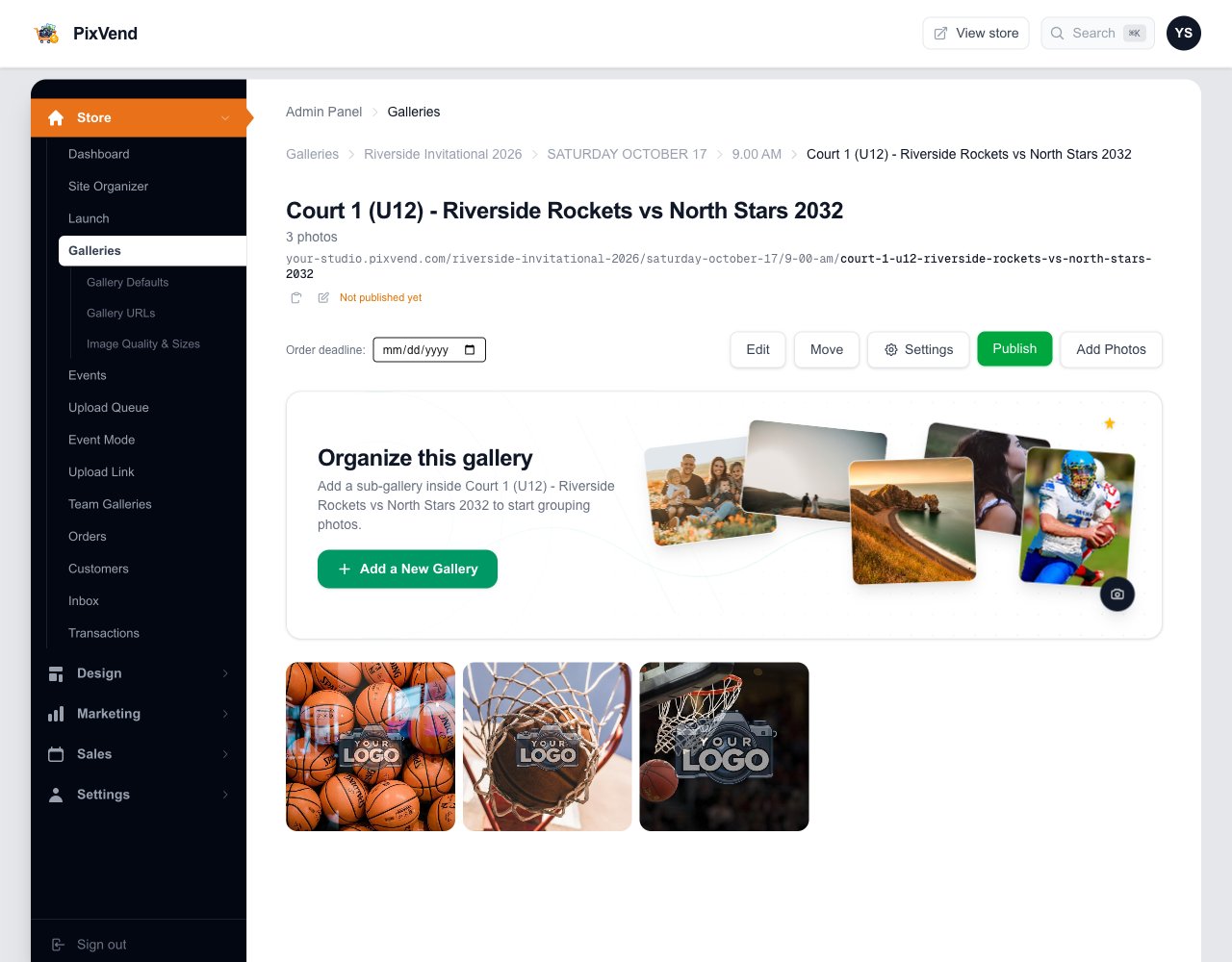 5Photographers
Photos land in the game
Step 1 of 5
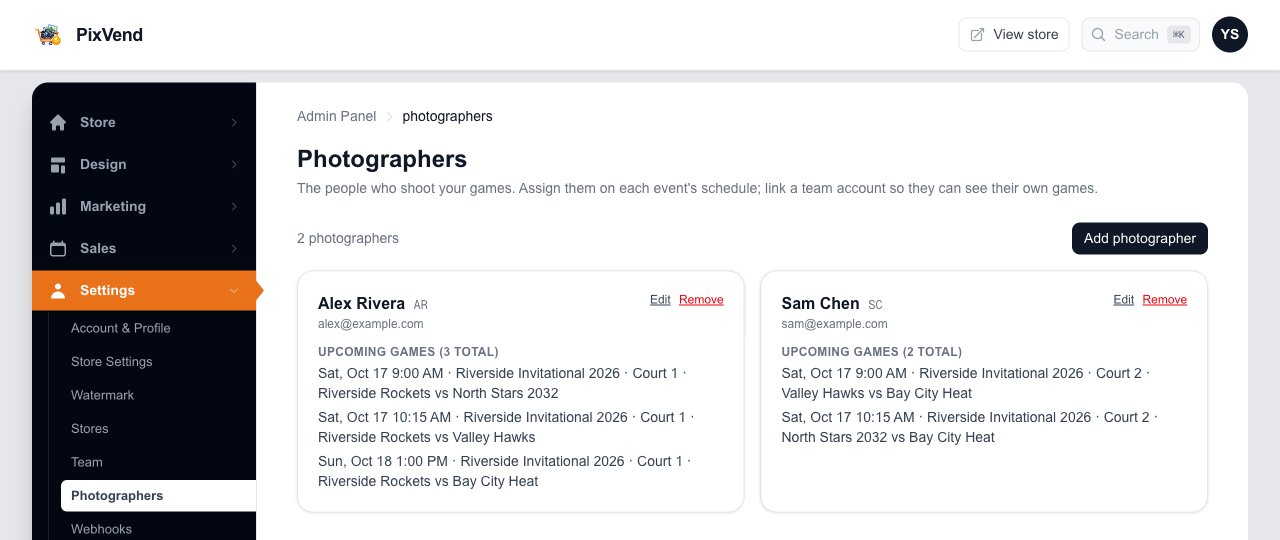
Add your photographers
YouSettings, then Photographers, then Add photographer. Give each one a short code; it's printed on schedules and used in your spreadsheet.
Add photographerName, a code such as AR, and optional phone, email and Instagram. Add yourself first.
Their upcoming gamesFills in as you assign games. Link a team account and they can see their own games when they sign in.
Next: step 2
Step 2 of 5
Create the event
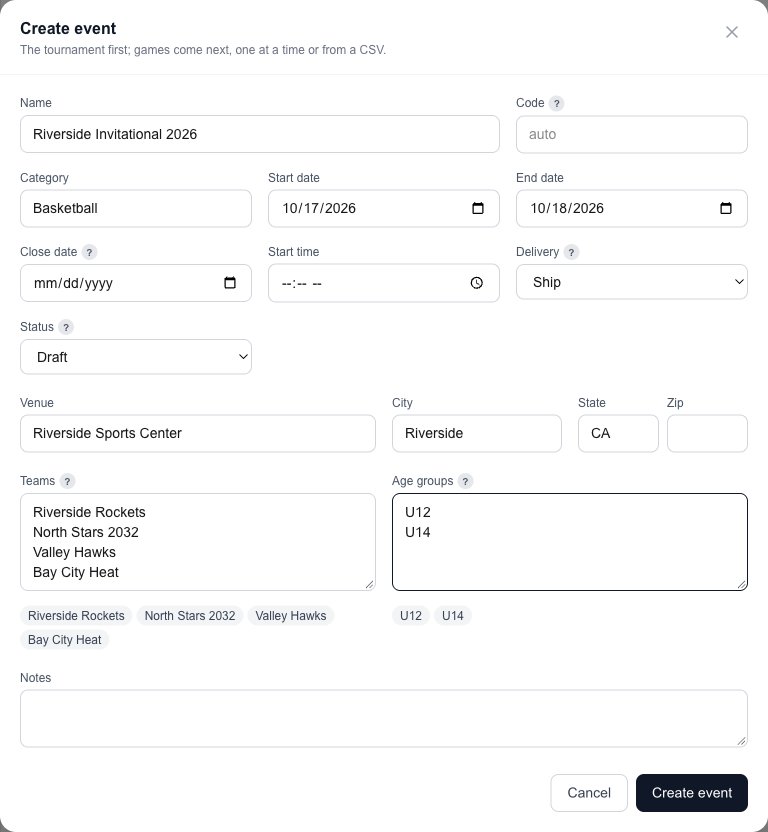
YouStore, then Events, then Create event. The tournament first; the games come next.
Name and datesThe event's name becomes its gallery. Start and end dates set the days.
Teams and age groupsOne per line. They're offered when you add games and when parents register.
Create eventOpens the event with its tabs: Games, Photographers, Teams, Registrations and more.
Next: step 3
Step 3 of 5
Import the game schedule
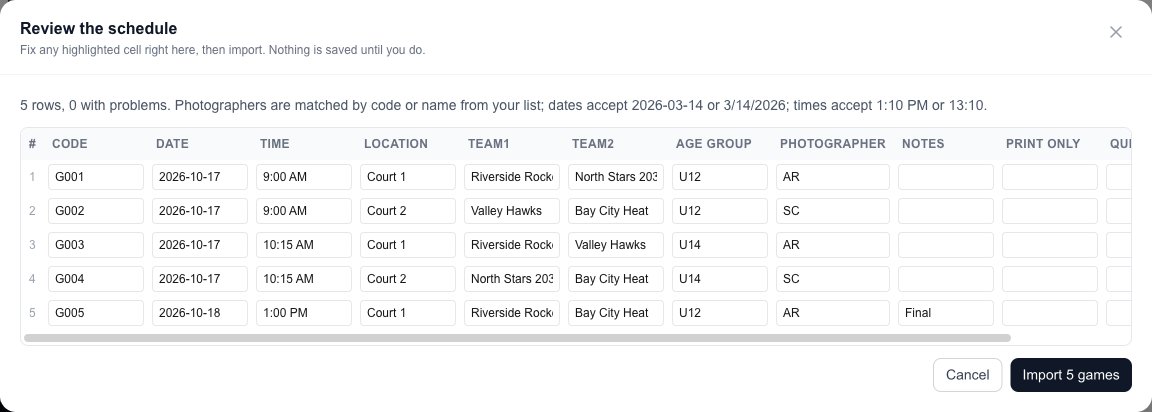
YouPress Template on the Games tab for a spreadsheet with the right columns, fill it in, then Import CSV. Or Add game for one at a time.
Check before it savesEvery row appears here. Fix a highlighted cell in place. Photographers are matched by code or name; dates and times can be written several ways.
ImportNothing is saved until you press it.
Next: step 4
Step 4 of 5
Every game has its own gallery
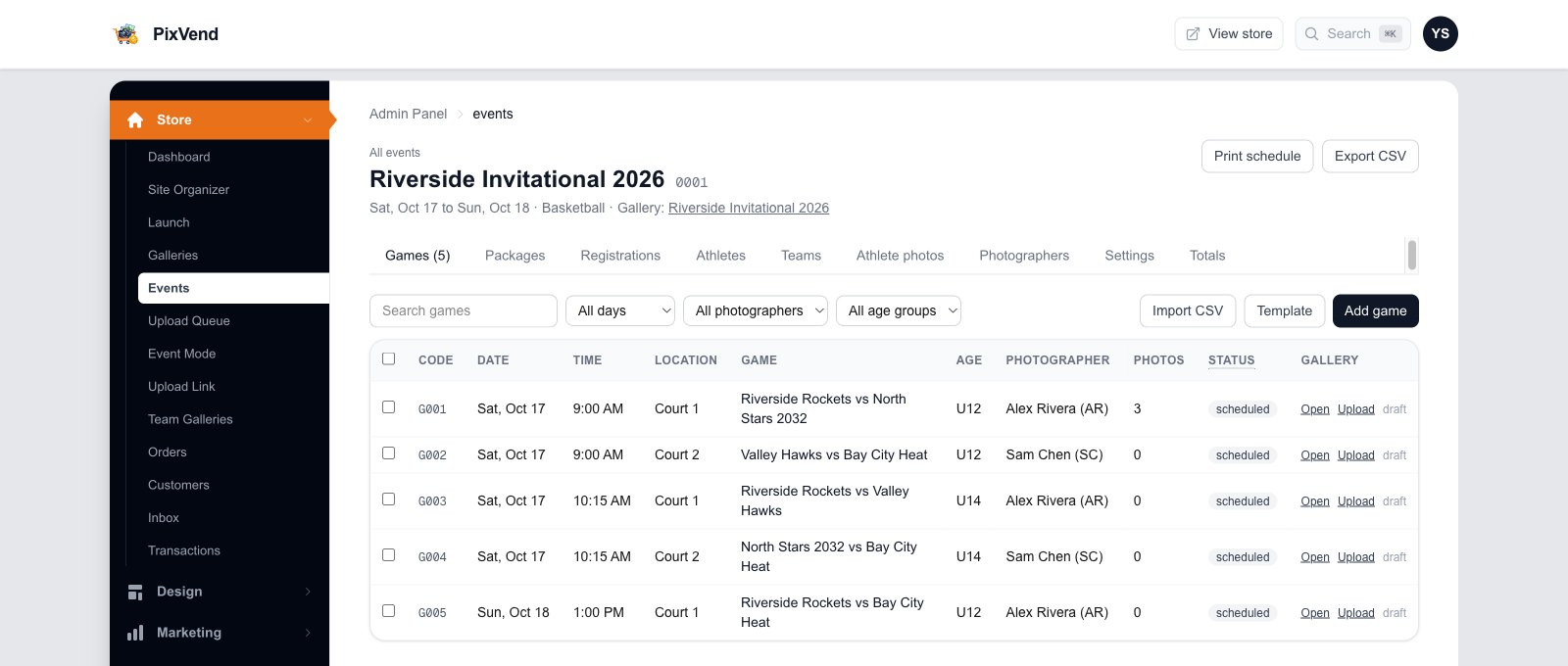
YouEach game gets a draft gallery, filed under the event, then the day, then the start time.
Print scheduleA clean page per day with every game and its photographer, ready to print or send.
Import CSV, Template, Add gameAdd more games at any time. Filter by day, photographer or age group.
PhotographerWho shoots each game. Change it by editing the game.
Open, UploadGo to the game's gallery, or straight to uploading into it.
Next: step 5
Step 5 of 5
Upload each game's photos
PhotographersPress Upload on a game, drop the photos, and they land in that game's gallery. The photo count on the Games tab goes up as they arrive.
Filed for youEvent, day and start time folders are made automatically, so buyers can browse by day and court.
PublishGame galleries start as drafts. Publish each one when it's ready, or use Publish everything on the event's gallery.
Good to know
Export CSV downloads the schedule with any changes, to share with your team.
Teams and athletes let parents register and buy an athlete's photos from every game.
Sell a prepaid package, such as every photo of one athlete, before the event.
What the event sold: orders, buyers, downloads and prints.
- Can photographers upload without a dashboard login?
- Yes. Send them your Upload Link; see the Upload Link guide. Or link a team account to their photographer profile.
- A game moved courts. Do I start over?
- No. Edit the game on the Games tab, or tick several games and change them together. Importing the same game code again is refused, so nothing is doubled.